
Futech
Pillars AI and Software Solutions Partners MyFutech Begin
Futech/Downloads
DOWNLOADS

Apps and tools,
ready to install.

Apps and tools we build and publish ourselves, in one place. Download what you need, and call or message us if you would like a hand setting anything up.

MyFutech icon
Featured app, for Futech clients

MyFutech

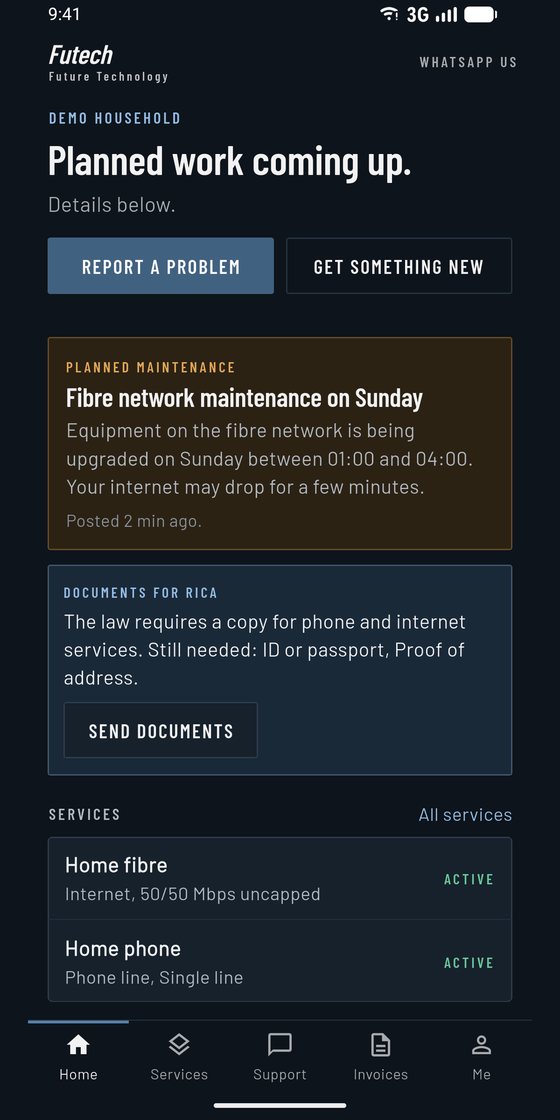
Your internet, phone lines, websites and email, with support and invoices, in one place on your phone.

See your services

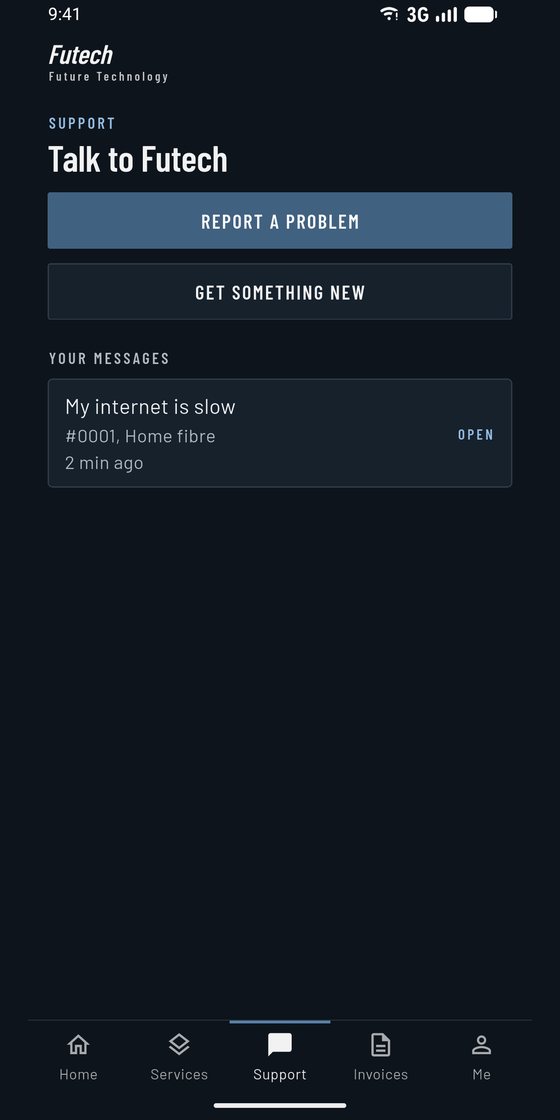
Every Futech service and whether it is active. Planned maintenance shows at the top, so you know before you phone.

Help from a person

Report a problem in a few taps, with a photo if it helps. A person at Futech answers, and the reply comes back to the app.

Invoices and statements

See what you owe, open any invoice as a PDF, download a statement and send proof of payment.

Order something new

A website, internet at a new address, an extra line or email. Answer a few questions and we come back with options and a price.

Coming soon to Google Play Android

No password to remember: you sign in with your cellphone number and a one-time code.

MyFutech app screen MyFutech app screen
Network tools
Network Device Finder icon
Windows Version 1.0.0

Network Device Finder

Plug into a router or switch, press Scan, and see every device on the segment, including devices on a different IP range to your laptop. It shows the IP, MAC address and vendor, and opens a device's web page without you changing your network settings.

Requires
Windows 10 or 11, 64-bit
Administrator rights (the app asks)
Download installer (.msi)64.8 MB Download portable (.exe)70.6 MB
Updated 24 November 2026

The installer adds a Start menu shortcut; the portable version runs without installing. Windows may show "Windows protected your PC" the first time: choose More info, then Run anyway.

SHA-256 checksums
Installer (.msi) 4ecb6d68d0a7d0800b1c959c69dd8ffbf869a39b284fd0974688ac61f5e56933
Portable (.exe) f9b9332a4694fa369b05d913c7b479fa0872eec3e7dbf8552d294139199f036f
MikroTik Backup Manager icon
Android

MikroTik Backup Manager

Back up, export and restore MikroTik routers over SSH, right from your phone. Compare two exports to see exactly what changed, and keep a profile and backup history for every router. Free, with nothing sent anywhere except the connection to your own router.

Field tools
GPS Compass Camera icon
Android

GPS Compass Camera

Point antennas, dishes and cameras accurately. It takes true north from the sun instead of the magnetic compass, which tower steel throws off, then guides you onto a remote site with distance, bearing and tilt on the live camera. Report photos carry the position and heading.

Before you download. Every app on this page is built and published by Futech. They are provided as is, and should only be installed on devices you are authorised to use. Our Terms and Conditions apply, and our Privacy Policy explains how the MyFutech app handles your information.
Begin

Need a hand installing?

Call or message us and a person will talk you through it.

Call or message
013 004 0019